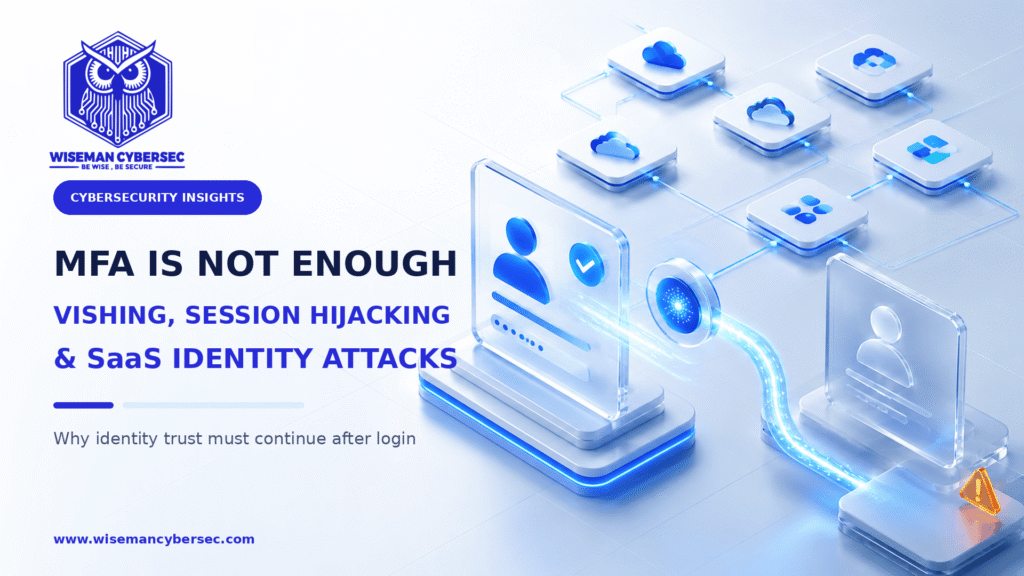
Why the next phase of identity security must protect enrollment, recovery and every session after sign-in
For years, cybersecurity teams have delivered one clear message: enable multi-factor authentication.
That advice remains essential—but it is no longer the finish line.
Attackers are changing the question. Instead of asking, “How can we crack the password?” they are asking:
- Can we persuade the user to approve our request?
- Can we convince the help desk to reset the account?
- Can we register our own authenticator?
- Can we steal an already authenticated session?
- Can we abuse an OAuth token or a trusted SaaS integration?
This change is creating one of the most urgent identity-security challenges of 2026: an attacker can defeat the purpose of MFA without technically breaking MFA at all.
The new security question is not simply, “Was MFA completed?” It is:
Should this identity, authenticator and session still be trusted?
Why This Topic Matters Now
The data shows a clear shift in attacker behaviour.
Mandiant’s M-Trends 2026, based on more than 500,000 hours of frontline incident investigations conducted in 2025, found that highly interactive voice phishing rose to 11% of observed intrusions, making it the second-most common initial infection vector. Email phishing, by comparison, accounted for 6%.
The same research describes attackers harvesting long-lived OAuth tokens and session cookies, compromising third-party SaaS vendors, and using hard-coded keys or personal access tokens to reach downstream customer environments.
This is not a return to basic phishing. It is an evolution from credential theft to trust theft.
1. Vishing Puts the Attacker Inside the Authentication Process
Voice phishing, or vishing, works because many sensitive identity processes still depend on human judgement.
An attacker may impersonate an employee, an executive, an IT engineer or a third-party vendor. They create urgency: a locked account, a failed device migration, an important customer call or an alleged security incident. Then they guide the user or support agent through the exact actions needed to compromise the account.
A typical attack might look like this:
- The attacker gathers information about an employee from social media, previous breaches or public sources.
- They call the employee while impersonating internal IT—or call the help desk while impersonating the employee.
- They trigger a password-reset, self-service recovery or MFA-enrollment process.
- They persuade the victim to share a one-time code, accept a push notification or approve a new authenticator.
- They sign in using valid credentials and an apparently legitimate MFA event.
Recent research shows how quickly these techniques are adapting. In July 2026, Okta Threat Intelligence reported a passkey-themed vishing campaign in which attackers used branded phishing pages and live phone calls to trick targets while an attacker-controlled passkey was enrolled in the victim’s Microsoft account.
The lesson is uncomfortable but important: even a strong security upgrade can become a social-engineering pretext when enrollment and recovery are weak.
2. Session Hijacking Steals Trust After MFA
MFA protects an authentication event. Once authentication succeeds, most applications issue a session cookie or token so the user does not have to prove their identity on every click.
That session becomes valuable.
Adversary-in-the-middle phishing kits can relay a victim’s sign-in to the real service, capture credentials and MFA input, and steal the resulting session cookie. Information-stealing malware can also extract browser cookies or tokens from an endpoint.
The attacker may then replay the session and appear to be an already authenticated user. The password can be changed and MFA can remain enabled, yet the stolen session may continue to provide access until it expires or is revoked.
This exposes a critical limitation:
Authentication is a moment. Trust is a lifecycle.
Security teams therefore need visibility not only into failed logins, but also into what happens after successful authentication: unusual API calls, sudden data exports, impossible device changes, suspicious inbox rules, new OAuth grants and access from unmanaged devices.
3. SaaS Has Expanded the Identity Attack Surface
Modern organisations may use hundreds of SaaS applications. Each one can introduce:
- local accounts outside the central identity provider;
- OAuth applications with excessive permissions;
- long-lived refresh tokens;
- API keys and personal access tokens;
- service accounts with unclear ownership;
- dormant integrations that retain access;
- inconsistent logging and session controls.
Single sign-on can reduce password sprawl, but it also makes the identity provider a critical control plane. If an attacker compromises a privileged identity, enrolls a new factor or gains a trusted session, multiple connected services may become accessible.
The risk is even greater when a third-party SaaS provider or integration stores reusable credentials that provide access to customer environments. The attacker no longer needs to breach every organization individually; one trusted connection can become a route to many.
This is why SaaS security cannot be treated only as an application-owner responsibility. It is an identity, cloud and SOC responsibility together.
4. Not All MFA Provides the Same Protection
“MFA enabled” is not a meaningful security outcome unless we also know which factor is used, where it is enforced and how enrollment and recovery are protected.
SMS codes, email codes, time-based one-time passwords and push notifications can improve security, but they remain vulnerable to social engineering, real-time relay, MFA fatigue and weak recovery processes.
NIST SP 800-63B explains that manually entered authenticator outputs—including OTP and out-of-band methods—are not phishing-resistant because an impostor can relay them into a legitimate session. NIST identifies cryptographic methods such as WebAuthn/FIDO2 as phishing-resistant because authentication is bound to the legitimate verifier.
Phishing-resistant MFA is therefore a major step forward. But it must be applied to more than routine sign-in. If a weaker method can still be used to add a new passkey, recover an account or reset a password, attackers will target that weaker path.
The strongest front door does not help if the recovery entrance is unguarded.
5. What Defenders Should Change
Move high-risk users to phishing-resistant authentication
Prioritise administrators, help-desk staff, finance teams, executives, developers and users with access to sensitive data. Use FIDO2 security keys, device-bound passkeys or other phishing-resistant methods supported by policy.
Do not leave weaker fallback factors available by default for the same high-value accounts.
Secure authenticator enrollment and account recovery
Treat password resets, factor replacement and device registration as privileged transactions.
- Require high-assurance verification before changing an authenticator.
- Use a callback to a known, trusted number—not a number supplied during the request.
- Require manager or security approval for privileged-account recovery.
- Do not rely only on employee IDs, dates of birth, manager names or other information an attacker may already know.
- Alert the user immediately when a factor, passkey, recovery method or trusted device is added.
- Apply device, network and risk conditions to self-service recovery.
Make sessions shorter, smarter and revocable
Use risk-based conditional access, device compliance and continuous access evaluation where supported. Reduce unnecessarily long token lifetimes, especially for privileged access and high-risk SaaS applications.
Incident-response playbooks must include revoking active sessions, refresh tokens and OAuth grants. Resetting the password alone may not remove an attacker who already has a valid session.
Build an inventory of SaaS identities and tokens
Identify every SaaS application, local account, service account, API key, OAuth grant and external integration. Record its owner, privileges, business purpose and expiry or review date.
Then remove what is unused, restrict token scope, rotate reusable secrets and bring SaaS access under the central identity provider wherever possible.
Detect identity behaviour, not only login failure
SOC detections should correlate identity, endpoint, help-desk and SaaS events. High-value signals include:
- a password reset followed by a new authenticator enrollment;
- a new passkey or factor registered from an unfamiliar device;
- successful authentication followed by a sudden geographic or network change;
- new OAuth consent with broad permissions;
- bulk downloads or unusual API activity after a new session begins;
- access to several SaaS platforms immediately after an identity event;
- a help-desk ticket followed by token creation, mailbox-rule changes or data export.
Individually, each event may look legitimate. Together, they can reveal an account takeover.
Train for live manipulation, not only suspicious emails
Traditional awareness training often teaches users to inspect links and attachments. That is no longer enough.
Employees and support teams should practise realistic scenarios involving urgent calls, fake IT support, MFA-reset requests, passkey enrollment, QR codes and instructions to ignore normal procedure.
The cultural rule should be simple: a legitimate colleague will respect the verification process—even during an emergency.
6. IAM and SOC Must Operate as One Defence System
IAM teams design authentication, access and recovery controls. SOC teams detect and respond when those controls are abused. If they operate separately, attackers can live in the gap.
An effective operating model connects:
- identity-provider logs;
- endpoint and browser telemetry;
- SaaS audit trails;
- privileged-access activity;
- help-desk records;
- threat intelligence;
- automated session revocation and containment.
IAM should tell the SOC which events represent high-risk identity changes. The SOC should tell IAM which policies and recovery paths attackers are exploiting. Together, they can move from login monitoring to continuous identity threat detection and response.
Seven Questions Every Security Leader Should Ask
- Which users can still access sensitive applications with phishable MFA?
- Can a weaker factor be used to enroll or recover a stronger one?
- How does the help desk verify identity before resetting a password or MFA method?
- Can we revoke all sessions, refresh tokens and OAuth grants for a compromised user quickly?
- Which SaaS applications still have local accounts outside our identity provider?
- Do we detect new authenticators, suspicious OAuth consent and unusual post-login behaviour?
- Have our employees and support teams rehearsed a realistic vishing attack?
If any answer is unclear, the identity attack surface is larger than the MFA dashboard suggests.
The Bottom Line
MFA is still necessary. But “MFA enabled” should no longer be treated as proof that an identity programme is mature.
The emerging threat is broader: attackers are manipulating enrollment, exploiting recovery, stealing sessions and abusing trusted SaaS connections. Defenders must respond by protecting the complete identity lifecycle—from the first authentication event to the last active token.
The next generation of identity security will not ask only whether a user successfully authenticated.
It will continuously ask:
Is this still the right user, on the right device, performing the right action, with the right level of trust?
That is the standard modern organisations must now build toward.