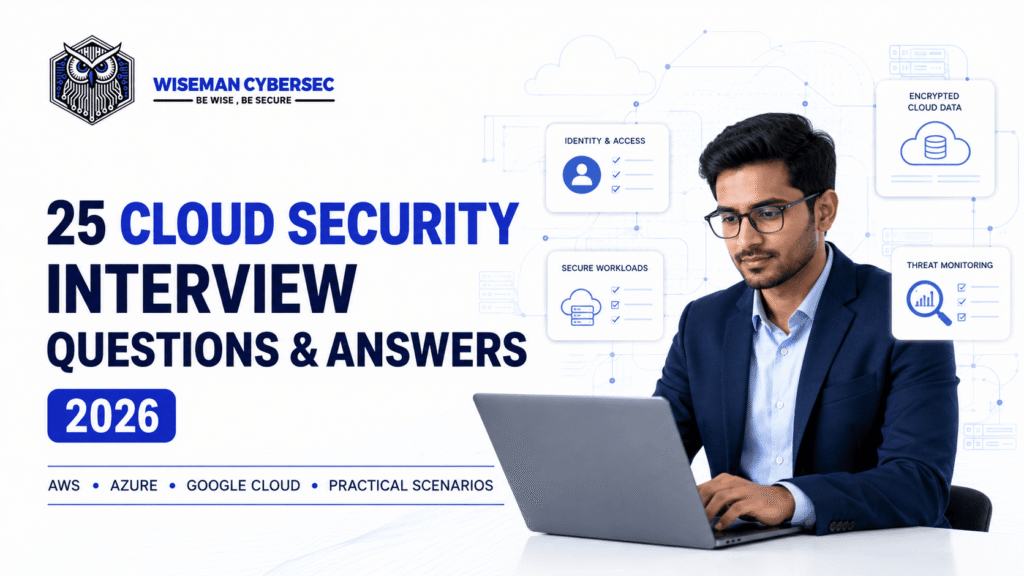
AWS, Microsoft Azure, Google Cloud and Practical Security Scenarios
Cloud security interviews are no longer limited to definitions. Employers expect candidates to understand how identity, data protection, network design, monitoring, DevSecOps and incident response work across real cloud environments.
A strong candidate should be able to explain the principle behind a control, describe how it is implemented and show how its effectiveness would be verified. That matters whether the organisation uses Amazon Web Services (AWS), Microsoft Azure, Google Cloud, a hybrid environment or multiple cloud providers.
This guide covers 25 frequently asked Cloud Security interview questions and answers for 2026. It is suitable for Cloud Security Engineers, Analysts, Architects, DevSecOps professionals, SOC teams, consultants and anyone preparing to move into cloud cybersecurity.
Interview tip: Avoid answering only with product names. Begin with the security objective, explain the design decision, identify the responsible party and then mention the relevant cloud services.
Quick cross-cloud security reference
| Security capability | AWS | Microsoft Azure | Google Cloud |
| Identity and access | AWS IAM, IAM Identity Center | Microsoft Entra ID, Azure RBAC | Cloud IAM, Cloud Identity |
| Audit and monitoring | AWS CloudTrail, Amazon CloudWatch | Azure Activity Log, Azure Monitor | Cloud Audit Logs, Cloud Logging |
| Key and secret management | AWS KMS, AWS Secrets Manager, AWS CloudHSM | Azure Key Vault, Managed HSM | Cloud KMS, Secret Manager, Cloud HSM |
| Security posture and governance | AWS Security Hub, AWS Config, AWS Organizations | Microsoft Defender for Cloud, Azure Policy, Management Groups | Security Command Center, Organization Policy, resource hierarchy |
Service names help demonstrate platform familiarity, but the interviewer’s real concern is whether you can design and operate the underlying controls.
1. What is cloud security?
Cloud security is the combination of governance, architecture, technologies, processes and skills used to protect cloud-hosted identities, data, applications, infrastructure and services.
It includes controls for:
- identity and access management;
- data classification, encryption and key management;
- network segmentation and traffic protection;
- secure configuration and vulnerability management;
- application, API, container and workload security;
- logging, detection and incident response;
- compliance, resilience and disaster recovery; and
- secure software development and deployment.
Cloud security is not simply traditional security moved to someone else’s data centre. Cloud environments are API-driven, highly automated, elastic and built around shared services. A configuration or identity change can affect thousands of resources within minutes. Effective cloud security therefore relies heavily on automation, preventive guardrails, continuous monitoring and short-lived credentials.
Strong interview point: Cloud security protects both the cloud control plane—the APIs used to create and manage resources—and the workloads and data running inside the environment.
2. What is the cloud shared-responsibility model?
The shared-responsibility model divides security duties between the cloud service provider and the customer.
The provider is generally responsible for security of the cloud: the physical facilities, hardware, foundational networking and managed-service infrastructure. The customer is responsible for security in the cloud: its identities, data, access decisions, configurations, applications and the services it chooses to deploy.
The exact division changes by provider, service and deployment model. For example, an AWS customer running a virtual machine manages its guest operating system, patches and application. With a highly managed service, the provider manages more of the underlying stack, while the customer still controls data, identities, permissions and relevant security settings.
Microsoft similarly states that customers retain responsibility for their data, identities and accounts across cloud service models.
Common interview mistake: Saying that moving to the cloud transfers all security responsibility to the provider. It transfers some operational duties, not accountability for how the organisation uses the service.
3. How do security responsibilities differ across IaaS, PaaS and SaaS?
The amount of customer responsibility generally decreases as the service becomes more managed:
- Infrastructure as a Service (IaaS): The provider manages physical infrastructure and virtualisation. The customer typically manages the guest operating system, patches, applications, network rules, identities and data.
- Platform as a Service (PaaS): The provider also manages the operating system and runtime. The customer remains responsible for application code, data, identity, secrets, service configuration and secure integration.
- Software as a Service (SaaS): The provider operates most of the application stack. The customer still manages users, access policies, data sharing, tenant settings, endpoint security and appropriate use of the service.
Responsibility must be assessed service by service. A team should document the division in architecture reviews, contracts, control matrices and operational runbooks.
Example answer: “If we replace a self-managed database on a virtual machine with a managed database, the provider takes on more patching and platform operations. We still own database access, data classification, encryption choices, retention, monitoring and secure application queries.”
4. What are the most common cloud security risks?
Common cloud security risks include:
- excessive permissions and weak identity controls;
- publicly exposed storage, databases or administrative interfaces;
- stolen access keys, tokens or secrets;
- insecure APIs and application vulnerabilities;
- unpatched virtual machines, images and dependencies;
- missing, incomplete or poorly retained audit logs;
- weak network segmentation and unrestricted outbound traffic;
- software supply-chain compromise;
- sensitive data stored without appropriate protection;
- configuration drift and unmanaged shadow cloud resources; and
- inadequate backups, recovery testing and incident preparation.
Misconfiguration is important, but it should not be treated as the only cloud risk. An attacker with a valid overprivileged identity may use correctly configured services for malicious purposes. That is why mature programmes combine secure configuration with strong identity, workload protection, data controls, detection engineering and tested response processes.
Good prioritisation approach: Evaluate likelihood, business impact, data sensitivity, internet exposure, privilege level and whether a reliable detection or recovery mechanism exists.
5. How does Zero Trust apply to cloud security?
Zero Trust means that access is not trusted merely because a user, device or workload is inside a corporate network or owned by the organisation. Each access request should be evaluated using verified identity, device or workload posture, requested resource, context and risk.
In a cloud environment, Zero Trust commonly involves:
- centralised identity and strong authentication;
- least-privilege, time-bound access;
- continuous evaluation of users, devices and workloads;
- segmentation at network and application layers;
- service-to-service authentication;
- encryption in transit;
- policy enforcement close to the protected resource; and
- comprehensive logging and behavioural detection.
NIST SP 800-207 emphasises protecting resources rather than relying on network location and granting no implicit trust based on ownership or location.
Strong interview point: Zero Trust is an architectural approach, not a single product. It should reduce standing privilege and make every important access path both explicitly authorised and observable.
6. What does least privilege mean in cloud IAM?
Least privilege means granting a user, workload or service only the permissions required to perform an approved task, for the required resources and for no longer than necessary.
A practical implementation includes:
- granting access through groups and roles rather than directly to individuals;
- beginning with narrow permissions and adding only justified actions;
- restricting access by resource, condition, environment and time;
- using separate administrative and everyday accounts;
- replacing permanent privilege with just-in-time elevation;
- reviewing unused permissions and access history;
- removing inactive accounts, roles and keys; and
- testing policies before production deployment.
Least privilege is not a one-time exercise. Cloud permissions accumulate as teams and applications change. Regular access reviews and automated entitlement analysis help identify excessive or unused access.
Example: A backup service may require permission to read specific volumes and write to a designated backup location. It should not receive broad administrator access across the entire account, subscription or project.
7. What is the difference between RBAC and ABAC?
Role-Based Access Control (RBAC) assigns permissions to roles based on job or system functions. Users and workloads receive access by being assigned to those roles. For example, a “Security Reader” role may view security findings without changing resources.
Attribute-Based Access Control (ABAC) evaluates attributes associated with the subject, resource, action and environment. Attributes might include department, project, data classification, resource tag, device state, location or time.
RBAC is usually easier to understand and audit, but a large organisation can suffer “role explosion” when many narrowly different roles are required. ABAC can scale dynamically—for example, allowing engineers to manage only resources whose project tag matches their approved project—but it depends on reliable attributes and disciplined tagging.
Cloud environments often combine the two. A role grants a set of actions, while policy conditions and resource attributes narrow when and where those actions apply.
Strong interview answer: “I use RBAC for understandable job functions, then apply conditions or attributes to reduce scope and avoid broad, static permissions.”
8. How do federation, SSO, MFA and conditional access improve cloud security?
These controls reduce reliance on separate, unmanaged cloud credentials:
- Federation establishes trust between the cloud platform and an external identity provider.
- Single sign-on (SSO) lets users authenticate through a central identity system and access approved services.
- Multi-factor authentication (MFA) requires more than one authentication factor. Phishing-resistant methods such as security keys are preferred for privileged access.
- Conditional access evaluates context such as role, device compliance, location, sign-in risk and requested application before allowing access or requiring additional verification.
Together, they centralise onboarding and offboarding, enable consistent policies and improve auditability. Federation also supports short-lived sessions instead of long-lived local credentials.
High-risk roles should receive stricter controls, shorter session duration and just-in-time elevation. Emergency or “break-glass” accounts may be necessary, but they must be tightly protected, monitored, tested and excluded only from policies that could otherwise lock out responders.
9. What is the difference between human identities and workload identities?
Human identities belong to employees, contractors, partners or customers. Workload identities are used by applications, virtual machines, containers, functions, deployment pipelines and other services.
Human access normally requires SSO, MFA, lifecycle management, separation of duties and privileged-access controls. Workload access should use platform-native identities and short-lived tokens rather than passwords or embedded access keys.
Examples include AWS IAM roles, Azure managed identities, Google Cloud service accounts and workload identity federation. Each workload identity should have a clear owner, a single purpose and narrowly scoped permissions.
Workload identities are sometimes overlooked because they are non-human, but they can be highly privileged and operate continuously. Security teams should inventory them, monitor their behaviour, rotate or eliminate credentials and disable unused identities.
Strong interview point: A service identity is not merely a technical account. It is a security principal that needs ownership, least privilege, lifecycle controls and monitoring just like a human identity.
10. How should cloud secrets and access keys be managed?
The preferred approach is to avoid long-lived secrets whenever the platform can issue temporary credentials.
Recommended practices include:
- use roles, managed identities or workload identity federation;
- store necessary secrets in a dedicated secrets-management service;
- never hard-code secrets in source code, container images or infrastructure templates;
- prevent secrets from appearing in logs, tickets and chat messages;
- encrypt secrets and tightly restrict who or what can retrieve them;
- rotate credentials automatically and revoke them quickly after exposure;
- scan repositories, build artefacts and pipelines for leaked secrets;
- monitor secret access and unusual credential use; and
- separate secrets by application, environment and privilege level.
AWS recommends roles and temporary credentials for people and workloads. Microsoft managed identities let Azure resources obtain tokens without developers managing credentials. Google Cloud recommends avoiding service-account keys wherever possible and using workload identity federation for external workloads.
If a secret is exposed, deleting it from a repository is not enough. Revoke or rotate it immediately, investigate its use and remove it from repository history where appropriate.
11. What is the difference between encryption at rest, in transit and in use?
- Encryption at rest protects stored data, such as objects, disks, databases, snapshots and backups.
- Encryption in transit protects data moving between users, services and networks, commonly through TLS or authenticated private connections.
- Encryption in use aims to protect data while it is being processed, using technologies such as confidential computing or trusted execution environments for suitable workloads.
Encryption is only part of data protection. Teams must also control who can decrypt the data, how keys are managed, which data requires additional protection and whether sensitive information is copied to logs, caches, exports or development environments.
An interview answer should mention certificate validation, modern protocols, key separation, rotation and monitoring of decryption activity. Client-side or application-level encryption may be appropriate when the organisation needs control before data reaches a cloud service.
Common mistake: Assuming provider-managed encryption at rest prevents an authorised but compromised identity from reading data. Access control and detection remain essential.
12. What are KMS, HSM and envelope encryption?
A Key Management Service (KMS) helps create, protect, use, rotate and audit cryptographic keys. A Hardware Security Module (HSM) is a tamper-resistant hardware boundary used to generate and perform cryptographic operations with strongly protected keys. Managed HSM services can support use cases requiring dedicated control, specific compliance assurances or separation from general platform operations.
Envelope encryption uses a data-encryption key to encrypt the data and a separate key-encryption key to protect that data key. This makes large-scale encryption practical because the main key does not directly encrypt every byte of application data.
A strong key-management design considers:
- key ownership and administrative separation;
- provider-managed, customer-managed or externally managed keys;
- rotation, versioning and revocation;
- backup and recovery of required key material;
- access logging and alerting;
- regional and regulatory requirements; and
- the impact of disabling or deleting a key.
Key deletion can make data permanently unrecoverable. It therefore requires approvals, waiting periods and tested recovery procedures.
13. How would you design secure cloud networking?
A secure cloud network starts with business and data-flow requirements, not a large flat address space.
Key controls include:
- separate production, development and security environments;
- segment workloads by trust level and application function;
- allow only required inbound and outbound traffic;
- use security groups, network security groups, firewall policies and network access controls appropriately;
- prefer private service endpoints where internet exposure is unnecessary;
- inspect or control outbound traffic to reduce exfiltration and command-and-control risk;
- protect internet-facing applications with DDoS protection, web application firewalls and secure API gateways;
- secure administrative access without exposing management ports broadly;
- encrypt service-to-service traffic where required; and
- enable network flow and firewall logs.
Network controls should complement identity and application controls. A private IP address does not make a workload trustworthy, and network segmentation should not replace strong authentication.
Strong interview point: Document approved data flows, encode network rules in infrastructure as code and continuously detect unauthorised exposure or drift.
14. How should cloud APIs be secured?
Cloud applications depend heavily on APIs, so the API layer must enforce both authentication and authorisation for every sensitive operation.
Important controls include:
- use a trusted identity mechanism and validate tokens correctly;
- authorise access at object and function level, not only at the gateway;
- validate input and enforce schemas, size limits and content types;
- use TLS and consider mutual TLS for suitable service-to-service traffic;
- store API secrets securely and prefer short-lived credentials;
- apply rate limits, quotas and abuse protections;
- minimise exposed endpoints and disable unused methods;
- keep sensitive information out of URLs and error messages;
- log security-relevant API activity without recording secrets; and
- test for broken access control, injection, server-side request forgery and business-logic abuse.
An API gateway or web application firewall can provide central controls, but it does not understand every application’s authorisation rules. Developers must still enforce ownership and permission checks in the service.
Example: A valid user who changes an object ID in a request must not be able to view another customer’s record.
15. What are CSPM, CWPP, CIEM and CNAPP?
These terms describe related cloud-security capabilities:
- Cloud Security Posture Management (CSPM) identifies insecure configurations, policy violations and compliance gaps across cloud resources.
- Cloud Workload Protection Platform (CWPP) protects workloads such as virtual machines, containers and serverless functions through vulnerability, behavioural and runtime controls.
- Cloud Infrastructure Entitlement Management (CIEM) analyses permissions and helps reduce excessive or unused access.
- Cloud-Native Application Protection Platform (CNAPP) brings multiple capabilities—commonly posture, workload, identity, infrastructure-as-code and pipeline security—into a more unified view from development to runtime.
Product features vary, so a candidate should focus on outcomes rather than acronyms. A tool must have complete account coverage, useful context, reliable prioritisation, workflow integration and measurable remediation.
Strong interview answer: “I would prioritise a publicly exploitable workload with sensitive data and excessive identity permissions above an isolated low-impact configuration issue. Context turns findings into risk.”
16. How do infrastructure as code, policy as code and DevSecOps improve cloud security?
Infrastructure as code (IaC) defines cloud resources in version-controlled templates. Policy as code evaluates those templates and deployed resources against machine-readable rules. DevSecOps integrates security into design, development, build, deployment and operations.
Together, they can:
- provide peer review and an audit trail for infrastructure changes;
- detect public exposure, weak encryption or excessive access before deployment;
- create reusable secure modules and standard architectures;
- scan dependencies, images, source code and secrets in the pipeline;
- verify artefact integrity and deployment provenance;
- prevent unapproved high-risk configurations;
- compare deployed resources with approved code; and
- accelerate consistent remediation at scale.
Not every finding should block a release. Policies should reflect risk, with clear exceptions, owners and expiry dates. Critical issues such as embedded credentials or an internet-exposed administrative service may justify an immediate block, while lower-risk findings can enter a tracked remediation workflow.
Interview point: Shift-left controls should be paired with runtime monitoring because code can be bypassed and environments can drift.
17. How do you secure containers and Kubernetes in the cloud?
Container and Kubernetes security spans the software supply chain, control plane, nodes, workloads, network and runtime.
Important practices include:
- use minimal, trusted base images and scan them for vulnerabilities;
- sign images and control which registries and artefacts may be deployed;
- patch clusters, nodes and add-ons promptly;
- restrict Kubernetes RBAC and use dedicated service accounts;
- disable automatic service-account token mounting when it is unnecessary;
- apply Pod Security Standards or equivalent admission policies;
- run containers as non-root with a read-only filesystem where practical;
- drop unnecessary Linux capabilities and block privileged containers;
- use network policies to restrict east-west traffic;
- protect secrets with appropriate encryption and external secret management;
- collect audit, workload and runtime telemetry; and
- isolate sensitive workloads and protect the metadata service.
The official Kubernetes Application Security Checklist recommends dedicated service accounts, image scanning, network policies and restrictive workload settings.
Strong answer: “I secure the complete path from source and image to admission, identity, network and runtime—not only the container image.”
18. What are the main security considerations for serverless computing?
In serverless computing, the provider manages more of the infrastructure, but the customer remains responsible for code, dependencies, identity, data, event sources, configuration and monitoring.
Key controls include:
- give each function a narrowly scoped execution identity;
- validate events and input from queues, storage, APIs and other triggers;
- store secrets outside code and environment files where exposure is possible;
- patch and scan libraries and deployment packages;
- restrict which services may invoke the function;
- set timeouts, concurrency controls and resource limits;
- protect against event replay and duplicate processing where relevant;
- prevent sensitive data from entering logs;
- monitor unusual invocations, errors, network destinations and privilege use; and
- remove obsolete functions, versions and triggers.
Functions are short-lived, but their permissions may be long-lived. A compromised function with a broad role can access other services or data even when no server is directly managed by the customer.
Common mistake: Assuming serverless means security-less because the organisation does not patch an operating system.
19. What cloud logs should a security team collect and monitor?
A cloud security team should collect telemetry that can reconstruct identity, configuration, data, network and workload activity.
This commonly includes:
- control-plane and administrative audit logs;
- authentication, token and privileged-access events;
- data-access logs for sensitive storage and databases;
- network flow, DNS, firewall, load balancer and web application firewall logs;
- operating-system, endpoint and workload telemetry;
- application, API, container and Kubernetes audit logs;
- key-management and secret-access events;
- security findings and configuration changes; and
- pipeline, repository and deployment events.
Logs should be centralised in a protected account, subscription or project with restricted deletion, reliable time synchronisation, suitable retention and tested alerting. Teams should verify that important log categories are actually enabled. For example, Google Cloud distinguishes Admin Activity, Data Access, System Event and Policy Denied audit logs; many Data Access logs require explicit configuration.
Useful detections include new privileged identities, policy changes, disabled logging, unusual geographic access, mass data reads, public exposure and unexpected key use.
20. How do you respond to a cloud security incident?
Cloud incident response follows familiar phases—prepare, detect, contain, eradicate, recover and learn—but must account for cloud APIs, identities, automation and volatile resources.
A practical response should:
- validate the alert and establish incident leadership;
- preserve audit logs, relevant snapshots and other evidence;
- identify affected accounts, identities, regions, resources and data;
- contain malicious access by revoking sessions, keys and permissions carefully;
- search for persistence, such as new users, roles, policies, functions or startup changes;
- determine the initial access path and full blast radius;
- rebuild compromised resources from trusted artefacts where appropriate;
- restore service under least privilege and enhanced monitoring;
- meet legal, regulatory, contractual and communication obligations; and
- document root cause and improve preventive and detective controls.
Teams should prepare provider-specific playbooks, centralise logs outside workload accounts, maintain emergency access and test response exercises.
Important: Deleting a compromised resource immediately may destroy evidence. Containment decisions should balance business risk and investigation needs.
21. What is a cloud landing zone, and why is it important for security?
A cloud landing zone is a governed foundation for deploying cloud workloads. It establishes the organisation structure, identity model, networking, logging, security baselines and automated guardrails before application teams build independently.
A secure landing zone usually includes:
- separate production, development, security and log-archive environments;
- central identity federation and privileged-access management;
- organisation-level policies and approved regions or services;
- central audit logging protected from workload administrators;
- baseline network, DNS, encryption and backup patterns;
- resource naming, ownership and tagging standards;
- secure account, subscription or project provisioning;
- incident-response access and evidence-preservation capability; and
- continuous posture monitoring and exception governance.
AWS commonly uses accounts within AWS Organizations, Azure uses management groups and subscriptions, and Google Cloud uses organisations, folders and projects. The names differ, but the objective is consistent separation and central governance.
Strong interview point: A landing zone should enable teams to move quickly within safe boundaries. It is a maintained product, not a one-time setup document.
22. How do you protect sensitive data and meet compliance requirements in the cloud?
Start by identifying what data exists, where it flows, who owns it, how sensitive it is and which legal or contractual requirements apply.
Then implement controls such as:
- data classification and handling standards;
- collection and retention limits;
- access based on business need;
- encryption and appropriate key ownership;
- tokenisation, masking or pseudonymisation where useful;
- data-loss prevention for important channels;
- region and residency restrictions where required;
- controlled backups, exports and development copies;
- monitoring of access to high-value data; and
- deletion and disposal processes that include replicas and backups.
Compliance cannot be achieved merely by selecting a provider with certifications. The organisation must configure and operate its part of the control environment, retain evidence and understand which controls are inherited, shared or customer-managed.
For multi-cloud or SaaS use, maintain a data-flow inventory and avoid assuming that the same service name or certification produces the same control outcome everywhere.
23. How do you design cloud resilience against ransomware and destructive attacks?
Resilience requires more than taking backups. An attacker who compromises an administrative identity may try to delete workloads, snapshots, keys and recovery data.
A strong design includes:
- automated, versioned backups based on recovery requirements;
- immutable or logically isolated recovery copies;
- separate backup administration and strong MFA;
- restrictions on backup deletion and retention changes;
- cross-account, cross-subscription, cross-project or cross-region copies where justified;
- protection of encryption keys needed for recovery;
- infrastructure and application configurations stored in trusted version control;
- clean recovery environments and documented restoration order;
- monitoring for mass deletion, encryption or policy changes; and
- regular restoration tests measuring recovery time and recovery point objectives.
Backups that have never been restored are unproven. Exercises should test identity recovery, DNS, secrets, dependencies, data consistency and business validation—not only whether a snapshot exists.
Strong interview answer: “I design recovery so the same compromised identity cannot destroy both production and the last usable copy.”
24. Scenario: A cloud storage bucket containing sensitive data is publicly exposed. What would you do?
I would treat the situation as a potential data incident and follow a controlled response:
- confirm the exposure, affected objects and access paths without unnecessarily downloading sensitive data;
- block public access or remove the unsafe policy while preserving relevant evidence;
- protect and export audit, object-access and configuration logs;
- determine when exposure began, who made the change and whether the data was accessed;
- revoke or rotate credentials associated with suspicious activity;
- classify the affected data and involve legal, privacy and business owners;
- assess notification duties based on evidence, jurisdiction and contract;
- search for copied data, exposed backups and similar misconfigurations elsewhere;
- restore approved access and validate application behaviour; and
- prevent recurrence with organisation-level public-access restrictions, policy as code, monitoring and ownership controls.
The response should not stop after making the bucket private. The organisation must determine impact and root cause.
Interview distinction: A posture alert proves that exposure existed; access logs and supporting evidence help determine whether it was exploited.
25. Scenario: A privileged cloud identity appears to be compromised. How would you respond?
I would prioritise rapid identity containment while preserving the ability to investigate:
- validate the alert and identify the principal, active sessions, keys, roles and federation path;
- revoke sessions and temporary credentials, disable or rotate keys and block malicious access;
- preserve central identity, control-plane, data and network logs;
- review recent actions across all relevant regions and environments;
- identify affected resources, data access and privilege escalation;
- search for persistence, including new identities, access keys, trust policies, functions, scheduled tasks and logging changes;
- determine whether the user’s endpoint or identity provider was also compromised;
- remove malicious changes and rebuild affected workloads from trusted sources;
- restore only required access using fresh credentials and stronger conditions; and
- monitor closely, document the root cause and close the control gaps.
Potential improvements may include phishing-resistant MFA, shorter sessions, just-in-time administration, stricter role-assumption conditions and alerts for privilege changes.
Strong interview point: Resetting one password is insufficient if the attacker created new credentials, changed a trust policy or established workload-based persistence.
How to Answer Cloud Security Interview Questions Effectively
Use a simple four-part structure:
- State the security objective. Explain what must be protected and why.
- Describe the control. Cover people, process and technology—not only a service name.
- Apply it to the cloud. Mention the relevant AWS, Azure or Google Cloud implementation where useful.
- Explain verification. Show how you would test, monitor and improve the control.
For scenario questions, describe the sequence clearly: validate, preserve evidence, contain, determine scope, eradicate, recover and learn. Mention trade-offs when immediate containment could affect evidence or business availability.
Final Takeaway
The best Cloud Security candidates combine architecture knowledge with an operational mindset. They understand the shared-responsibility model, treat identity as a primary security boundary, protect data throughout its lifecycle and design controls that can operate at cloud speed.Do not memorise every product feature. Learn the principles, practise explaining the trade-offs and be ready to show how you would verify that a control works in a real environment.