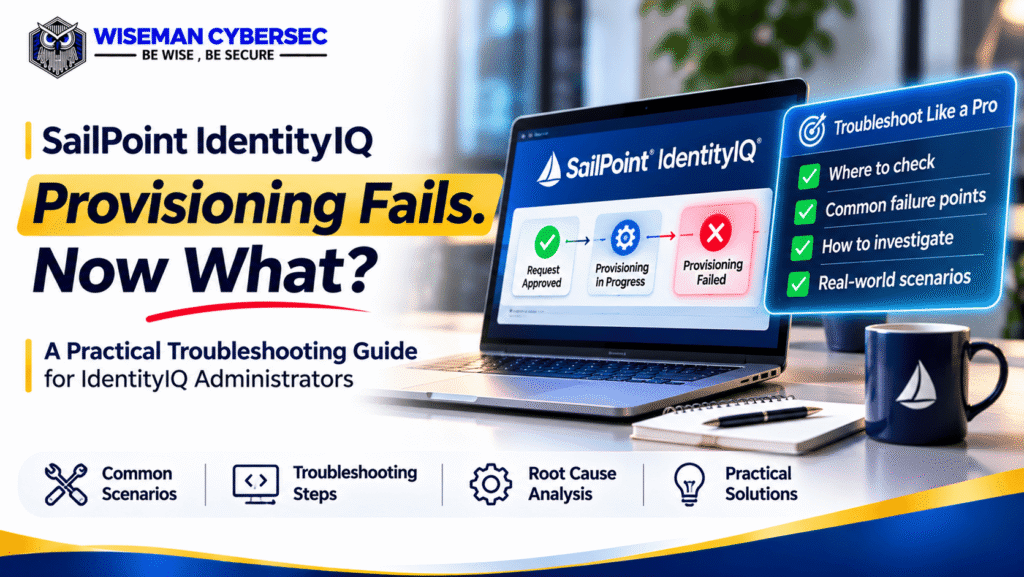
Your SailPoint IdentityIQ access request was approved. But the user still doesn’t have access. What went wrong?
This is a common type of challenge IAM administrators may encounter in enterprise environments.
An approved access request doesn’t always mean provisioning has been completed successfully.
A failure can occur during workflow processing, provisioning plan execution, connector communication, or target-system updates.
In this guide, we’ll explore 7 common SailPoint IdentityIQ provisioning issues and how to troubleshoot them.
Understanding the IdentityIQ Provisioning Flow
Before troubleshooting, understand the basic provisioning process:
Access Request → Approval → Provisioning Plan → Provisioning Execution → Target Application → Verification
IdentityIQ can use direct connectors, integration configurations, or manual work items to complete provisioning.
Depending on the configured process, access changes may not immediately appear in the user’s Identity Cube.
Let’s examine where things can go wrong.
1. Access Approved but Provisioning Not Triggered
Scenario: The manager approves access, but no account or entitlement is created.
Possible causes:
- Provisioning workflow has not progressed.
- An approval or work item remains pending.
- A customized workflow encounters an error.
How to troubleshoot:
Review the access request status and workflow history.
Check whether all required approvals are completed and whether the provisioning workflow reached its execution step.
Key takeaway: Approval completion does not guarantee provisioning execution.
2. Connector Connection or Permission Failure
Scenario: IdentityIQ attempts provisioning, but the target application rejects the request.
Possible causes:
- Incorrect connector credentials.
- Insufficient service-account permissions.
- Application connectivity problems.
How to troubleshoot:
Verify application connectivity and the connector’s permissions.
Review the provisioning transaction details and connector errors.
Confirm that the service account has the permissions required for the requested operation.
Key takeaway: A working connector configuration must also support the specific provisioning action.
3. Incorrect Provisioning Plan or Missing Attributes
Scenario: A new account cannot be created because the target application requires additional information.
Possible causes:
- Missing mandatory attributes.
- Incorrect provisioning policy.
- Invalid attribute mappings or values.
How to troubleshoot:
Review the provisioning plan and applicable provisioning policy.
Verify required attributes such as account name, email, department, or application-specific values.
Check whether custom rules are supplying the correct values.
Key takeaway: Accurate identity data and provisioning policies are essential for reliable account creation.
4. Provisioning Transaction Is Pending or Failed
Scenario: The request remains pending, or IdentityIQ records a provisioning failure.
How to troubleshoot:
In supported IdentityIQ configurations, navigate to:
Administrator Console → Provisioning
Review the provisioning transaction status and any available error details.
Depending on the failure, the transaction may be eligible for retry or require a separate remediation action.
Avoid repeatedly submitting the same request before investigating the original failure.
Key takeaway: Identify the exact failure before attempting to reprocess provisioning.
5. Manual Provisioning Work Item Is Incomplete
Scenario: A request is approved, but the target application uses a read-only connector or manual provisioning process.
Possible cause: An assigned administrator still needs to complete a provisioning work item.
How to troubleshoot:
Check whether IdentityIQ created a manual work item.
Identify the assigned owner and confirm whether the target-system change was actually performed.
A completed work item alone may not confirm that the access change exists in the application.
Key takeaway: Manual provisioning requires execution and verification, not just approval.
6. Provisioning Succeeded but Identity Cube Is Not Updated
Scenario: The target application shows the correct entitlement, but the user’s Identity Cube displays outdated access.
Possible cause: Account aggregation or Identity Refresh has not updated the relevant information.
How to troubleshoot:
- Verify access directly in the target application.
- Check whether updated account data has been aggregated into IdentityIQ.
- Perform an appropriate Identity Refresh when required.
- Review the updated account, entitlement, and role information.
The exact process depends on connector type and provisioning configuration.
Key takeaway: Provisioning execution and identity-data synchronization are separate processes.
7. Target Application Rejects the Requested Access
Scenario: IdentityIQ submits an access change, but the application returns an error.
Possible causes:
- The account doesn’t exist.
- The requested entitlement is unavailable.
- The account is disabled.
- The target application rejects the request because of its own access restrictions.
How to troubleshoot:
Review target-system logs, connector responses, account status, and entitlement availability.
Determine whether the request is supported by the application’s current configuration.
Key takeaway: Not every provisioning failure originates inside IdentityIQ.
Real-World Scenario: Access Approved, Provisioning Failed
Consider this illustrative enterprise scenario.
An employee requests access to a finance application through SailPoint IdentityIQ.
The manager approves the request.
However, the employee still cannot access the application.
During investigation, the IAM administrator discovers:
- The approval workflow completed successfully.
- IdentityIQ generated the provisioning request.
- The connector attempted to update the target account.
- The target application rejected the request because the provisioning service account lacked the required permission.
Root cause: Insufficient connector service-account privileges.
Resolution: The administrator works with the application owner to correct the authorized service-account permissions, reprocesses the request through the appropriate supported procedure, and verifies the access change.
Lesson: Successful approval is only one stage of successful provisioning.
SailPoint IdentityIQ Provisioning Troubleshooting Checklist
When provisioning fails, follow this sequence:
- Verify the access request and approval status.
- Review the workflow and provisioning plan.
- Check provisioning transaction errors.
- Validate connector connectivity and permissions.
- Verify required account attributes and entitlement values.
- Investigate pending manual work items.
- Confirm the actual access state in the target application.
- Check aggregation and Identity Refresh where appropriate.
Remember: Never assume provisioning succeeded simply because the request status appears complete.
Frequently Asked Questions
Ques: Why does SailPoint IdentityIQ provisioning fail?
Common causes include connector failures, missing attributes, incorrect provisioning policies, workflow errors, target-system restrictions, and pending manual actions.
Ques: How do I check provisioning status in IdentityIQ?
Review the access request and workflow information. Where enabled, use the Administrator Console’s Provisioning Transactions view to inspect pending, successful, or failed transactions.
Ques: Why is an entitlement missing from the Identity Cube after provisioning?
The target-system change may not yet have been aggregated, or Identity Refresh may be required to update entitlement and role information.
Ques: Can an approved access request still fail?
Yes. Approval authorizes the request, but provisioning execution can fail independently.
Final Thoughts
SailPoint IdentityIQ provisioning troubleshooting is not about restarting workflows until something works.
It’s about understanding where the failure occurred and verifying the result.For IAM administrators, the ability to investigate provisioning plans, connector errors, workflows, and target-system behavior is essential.
– Wiseman CyberSec
Build Practical SailPoint IdentityIQ Skills
Wiseman CyberSec offers SailPoint IdentityIQ Administration Training with instructor-led sessions, practical labs, and scenario-based learning.
Upcoming Batch: 28 November 2026
Duration: 28 Hours | Live Instructor-Led Training