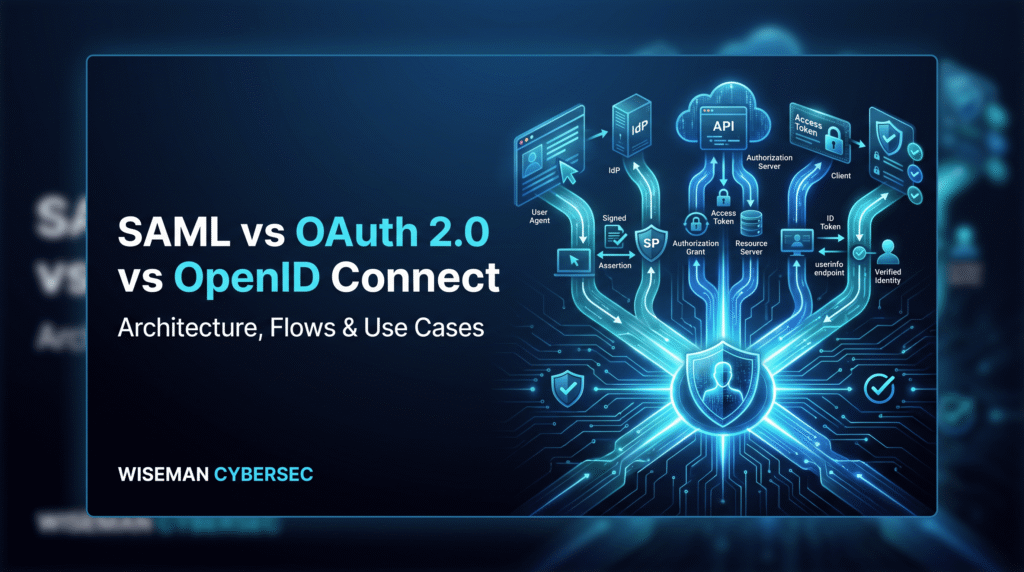
SAML, OAuth and OpenID Connect appear together so often that they are frequently described as competing authentication protocols. That description is inaccurate.
SAML 2.0 is a federation standard built around XML messages and assertions. It is widely associated with enterprise Single Sign-On, where an Identity Provider authenticates a user and sends an assertion that a Service Provider can validate and trust. OASIS defines SAML as a framework for exchanging security information, including XML-encoded assertions concerning authentication and attributes.
OAuth 2.0, by contrast, is primarily about authorization. It allows a client application to obtain limited access to protected resources without requiring the resource owner to give that application their credentials. OAuth access tokens represent an authorization granted to a client and may carry scopes and expiration constraints.
OpenID Connect adds identity and authentication to OAuth 2.0. OIDC introduces the ID Token, which lets a client—or “Relying Party” in OIDC terminology—verify the result of an authentication operation and obtain standardized claims about the user.
A useful mental model is therefore:
SAML = enterprise federation and SSO
OAuth = authorization and API access
OIDC = authentication built on OAuth
That simplification is not the whole specification, but it is the right place to start.
Authentication vs Authorization vs Federation
Before comparing protocols, separate three concepts.
Authentication answers: Who are you?
Authorization answers: What are you allowed to do?
Federation allows one security domain to trust identity information established by another.
Suppose an employee wants to use a corporate expense application.
With federation, the application can redirect the employee to the organization’s identity provider rather than maintaining another password database. The identity provider authenticates the employee. The application then determines what that authenticated employee is allowed to do.
Those are separate decisions.
This distinction is why using “OAuth authentication” as a generic term can create design errors. OAuth’s authorization server may authenticate a person as part of obtaining authorization, but OAuth 2.0 itself defines the authorization framework. OIDC standardizes the identity result needed by an application that wants to sign the user in.
How SAML Works
In a common SAML browser SSO deployment, the major roles are:
User → Service Provider → Identity Provider
The Service Provider (SP) is the application the user wants to access.
The Identity Provider (IdP) authenticates the user and issues the trusted SAML response/assertion.
In an SP-initiated flow, the user requests the application, the SP sends an authentication request toward the IdP, the IdP authenticates the user if necessary, and the resulting SAML response is returned through the browser to the SP’s Assertion Consumer Service.
OASIS’s SAML technical overview describes exactly this pattern: the IdP establishes the user’s authentication context, creates a signed assertion, places it inside a SAML response and sends it through the browser to the SP, which validates the signature before creating a local session.
SAML assertions can contain information such as the issuer, subject, authentication statement and attributes. Conditions can restrict when and where an assertion is valid; the standard examples include NotBefore, NotOnOrAfter, AudienceRestriction, Recipient and InResponseTo.
How OAuth 2.0 Works
OAuth introduces a different problem.
Imagine a business application that needs permission to call an API on a user’s behalf. Giving the application the user’s password would be a poor design. OAuth instead lets the application obtain an access token representing limited authorization.
The principal roles are:
Resource Owner → Client → Authorization Server → Resource Server
The client requests authorization, the authorization server handles the authorization interaction, and the client ultimately receives an access token that can be presented to the protected resource. OAuth defines an access token as a credential for accessing protected resources. Importantly, the specification permits different token structures: an access token can be opaque or self-contained, so engineers should not assume every OAuth access token is a JWT.
For interactive applications, the Authorization Code flow is fundamental. Modern security guidance strengthens it with PKCE, which associates the authorization request with a cryptographically generated code verifier. An attacker who steals only the authorization code cannot successfully redeem it without the corresponding verifier.
The January 2025 OAuth Security Best Current Practice requires PKCE for public clients, recommends it for confidential clients, calls for exact redirect-URI matching and advises against flows that return access tokens directly from the authorization endpoint unless the associated risks are specifically mitigated.
How OpenID Connect Extends OAuth 2.0
OAuth solves delegated authorization, but applications also need a standardized answer to another question:
Who signed in?
OIDC supplies that identity layer.
An OIDC request includes the openid scope. In the Authorization Code flow, the client receives an authorization code and exchanges it at the token endpoint. The resulting response can include an ID Token and an access token. The ID Token communicates the authentication result to the client; the access token is intended for accessing a resource.
This distinction matters enormously:
ID Token → intended for the client/Relying Party to understand the authenticated identity
Access Token → intended for the resource server/API
Do not interchange the two merely because a particular provider encodes both as JWTs.
OIDC ID Tokens contain claims such as iss for issuer, sub for subject, aud for audience, and exp for expiration. Depending on the request, they can also contain nonce, auth_time and other claims. The OIDC specification requires clients to perform validation appropriate to the flow, including issuer, audience, expiration and signature checks and, when used, nonce validation.
SAML vs OAuth vs OpenID Connect Comparison
| Feature | SAML 2.0 | OAuth 2.0 | OpenID Connect |
| Primary purpose | Federation / SSO | Authorization | Authentication / identity |
| Common artifact | SAML assertion | Access token | ID Token + OAuth tokens |
| Typical format | XML | Not mandated; opaque or structured | ID Token is a signed JWT |
| Typical use | Enterprise browser SSO | Delegated API access | Modern application login |
| API authorization | Not its primary web-SSO purpose | Yes | Uses OAuth for API access |
| User authentication | Yes, through federation profiles | Not standardized as its purpose | Yes |
| Mobile/SPA fit | Usually less natural | Strong with appropriate flows | Strong |
| Common enterprise products | Entra ID, Okta, enterprise SaaS | API platforms, Entra ID, Okta | Entra ID, Okta, cloud applications |
SAML remains deeply established in enterprise federation, while modern identity platforms commonly use OIDC for newer web, mobile and cloud-native sign-in scenarios. Microsoft’s current guidance similarly recommends considering OIDC for new SaaS and modern application development while retaining SAML where enterprise customers, existing IdPs or established integrations require it.
Common Security Mistakes and Mitigations
A protocol is only as secure as its implementation.
| Mistake | Risk | Better approach |
| Accepting SAML responses without correct signature validation | Forged identity information | Validate signatures using trusted IdP metadata/keys |
| Ignoring SAML audience, recipient or validity conditions | Assertion accepted by wrong application or outside intended context | Validate AudienceRestriction, recipient and time conditions |
| Failing to correlate SAML responses where correlation is expected | Response substitution/replay problems | Validate InResponseTo and transaction context |
| Loose OAuth redirect URI handling | Codes or tokens can reach unintended destinations | Pre-register and exactly match redirect URIs |
| Authorization Code without PKCE for public clients | Stolen code can potentially be redeemed | Use PKCE with S256 |
| Using OAuth access tokens as proof of user identity | Confuses authorization with authentication | Use OIDC and validate the ID Token |
| Failing OIDC issuer/audience/signature/expiration validation | Token intended for another client/provider may be accepted | Perform full ID Token validation using established libraries |
| Reusing or mishandling state/nonce | CSRF or replay exposure | Generate transaction-specific values and validate them |
These controls come directly from the protocol specifications and current security guidance: SAML examples bind assertions to recipients, audiences, requests and validity windows; OAuth’s current BCP requires stronger redirect and code protections; and OIDC defines explicit ID Token validation rules.
Enterprise Use Cases
Use SAML for established workforce and B2B SSO. A corporation connecting an existing identity provider to a SAML-enabled HR, finance or legacy SaaS platform is a classic fit. SAML remains strongly established in enterprise application integration.
Use OAuth for delegated API authorization. For example, an application may obtain permission to call an API on behalf of a user with specific scopes rather than obtaining the user’s credentials. OAuth also defines client credentials for situations where a client acts on its own behalf rather than on behalf of an interactive user.
Use OIDC for modern application authentication. New web applications, cloud services, mobile applications and SPAs frequently benefit from OIDC’s standardized identity layer, discovery capabilities and compatibility with OAuth-protected APIs. Microsoft and Okta both position OIDC this way in their current identity-platform documentation.
Which Protocol Should You Use?
Start with the business requirement, not the protocol name.
Need to sign a user into a new modern application?
Choose OpenID Connect when your identity provider and application support it.
Need delegated access to an API?
Choose OAuth 2.0 and select the grant/flow appropriate to the client and use case.
Need enterprise SSO into an existing SAML-enabled SaaS application?
Use SAML 2.0.
Building a SaaS product for many enterprises?
You may need both SAML and OIDC because customer identity environments differ.
Need login and API access in the same modern application?
Use OIDC for authentication plus OAuth for authorization—often within the same Authorization Code flow.
The core lesson is simple:
Do not choose between SAML, OAuth and OIDC because one is “newer.” Choose based on whether the problem is federation, authentication or authorization.
Sequence Diagrams and Visual Package
The following diagrams intentionally simplify optional protocol features so IAM learners can see the trust boundaries and artifacts first. The SAML flow follows the browser SSO pattern described by OASIS; the OAuth and OIDC diagrams follow the Authorization Code model, with PKCE included in line with current OAuth security guidance.
SAML SP-Initiated SSO
Show code
OAuth Authorization Code Flow with PKCE
Show code
PKCE’s code verifier/challenge relationship is specifically intended to prevent an intercepted authorization code from being successfully redeemed by a party that does not possess the verifier. RFC 9700 now applies PKCE guidance beyond its original native-app use case.
OIDC Authorization Code Sign-In
Show codeIn OIDC Authorization Code flow, the authorization code is exchanged at the token endpoint, where the client can receive an ID Token and access token; the client then validates the ID Token to establish the authenticated user’s identity.